How to Update Body MeasurementsUpdated 5 months ago
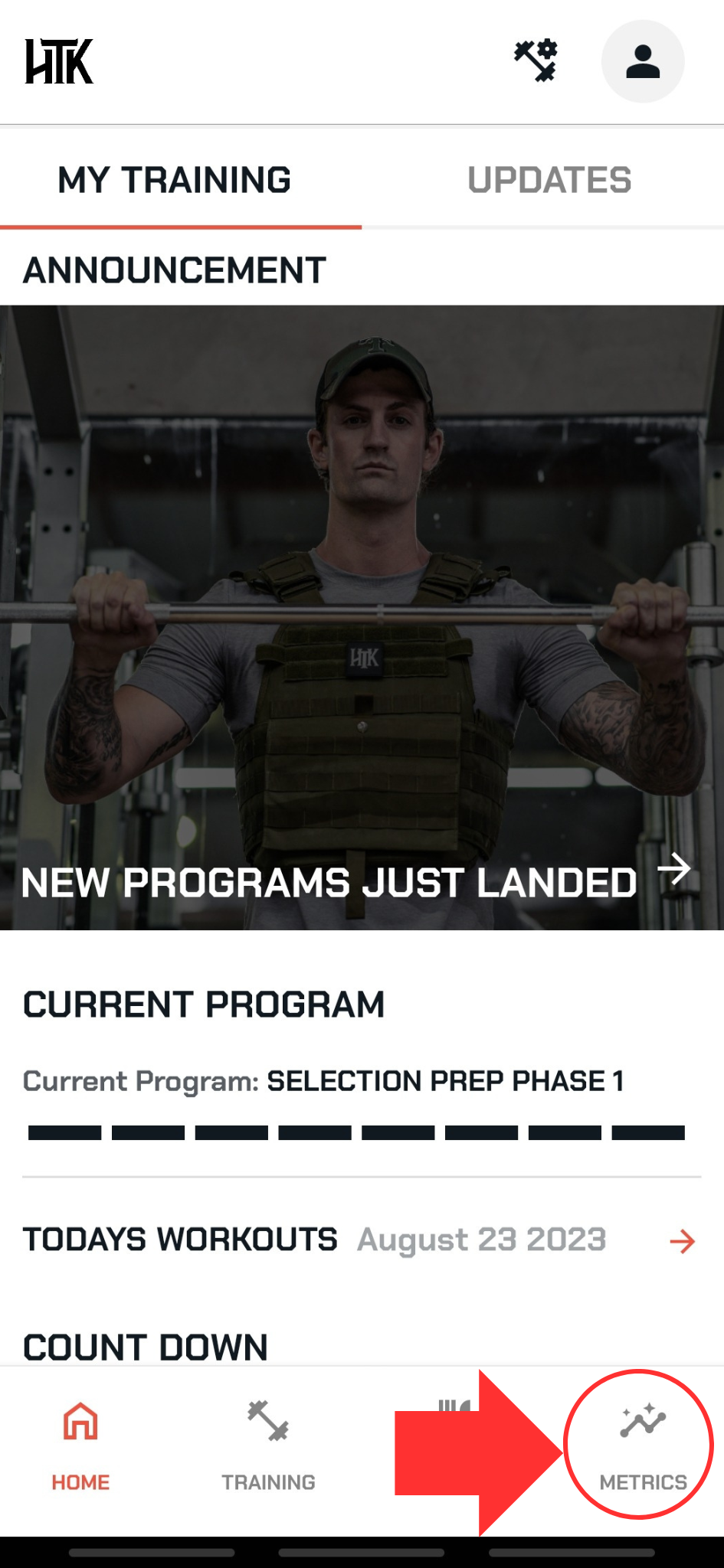
From any of the main pages, select METRICS in the bottom right corner
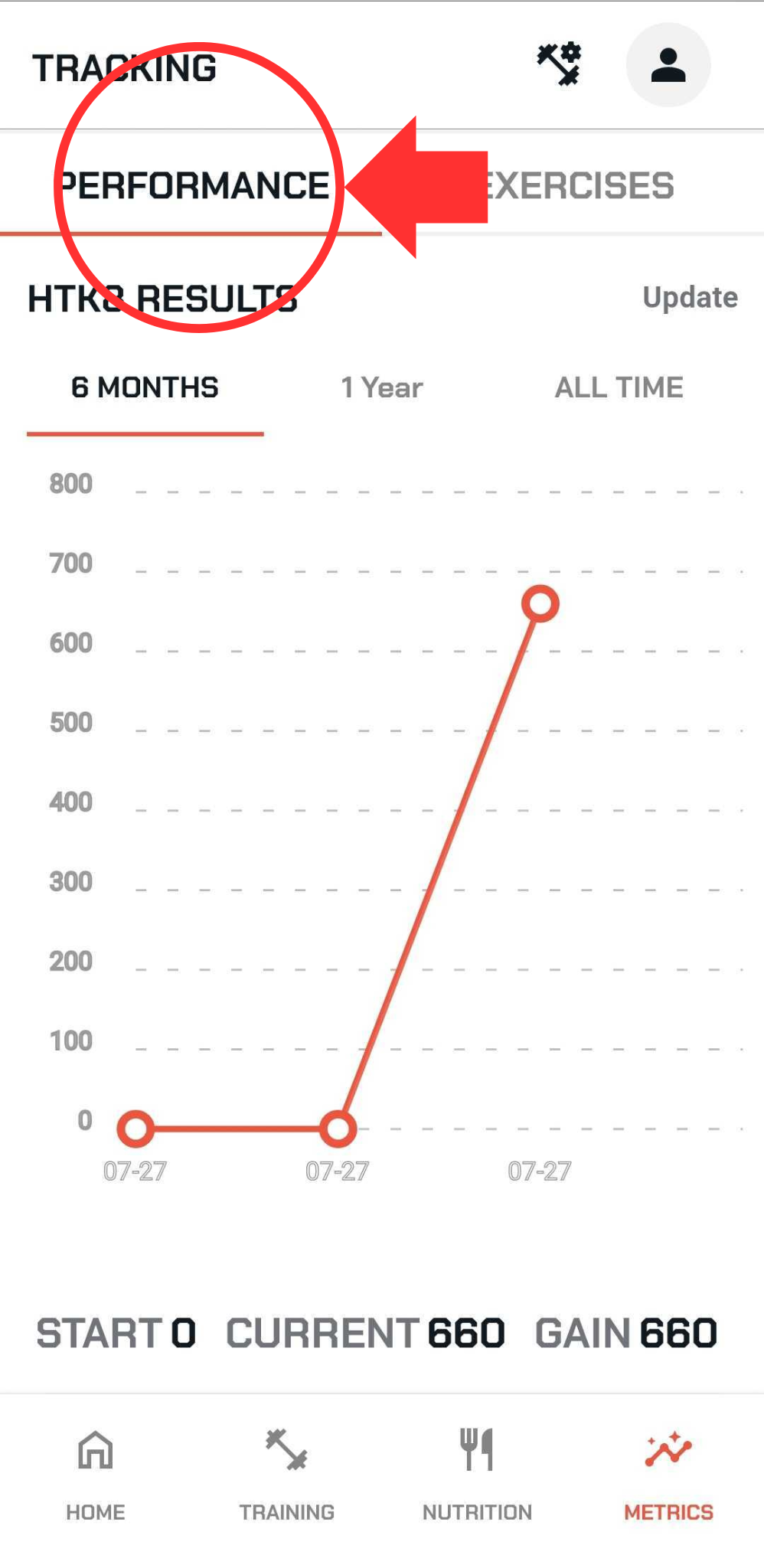
Ensure that performance is selected towards the top
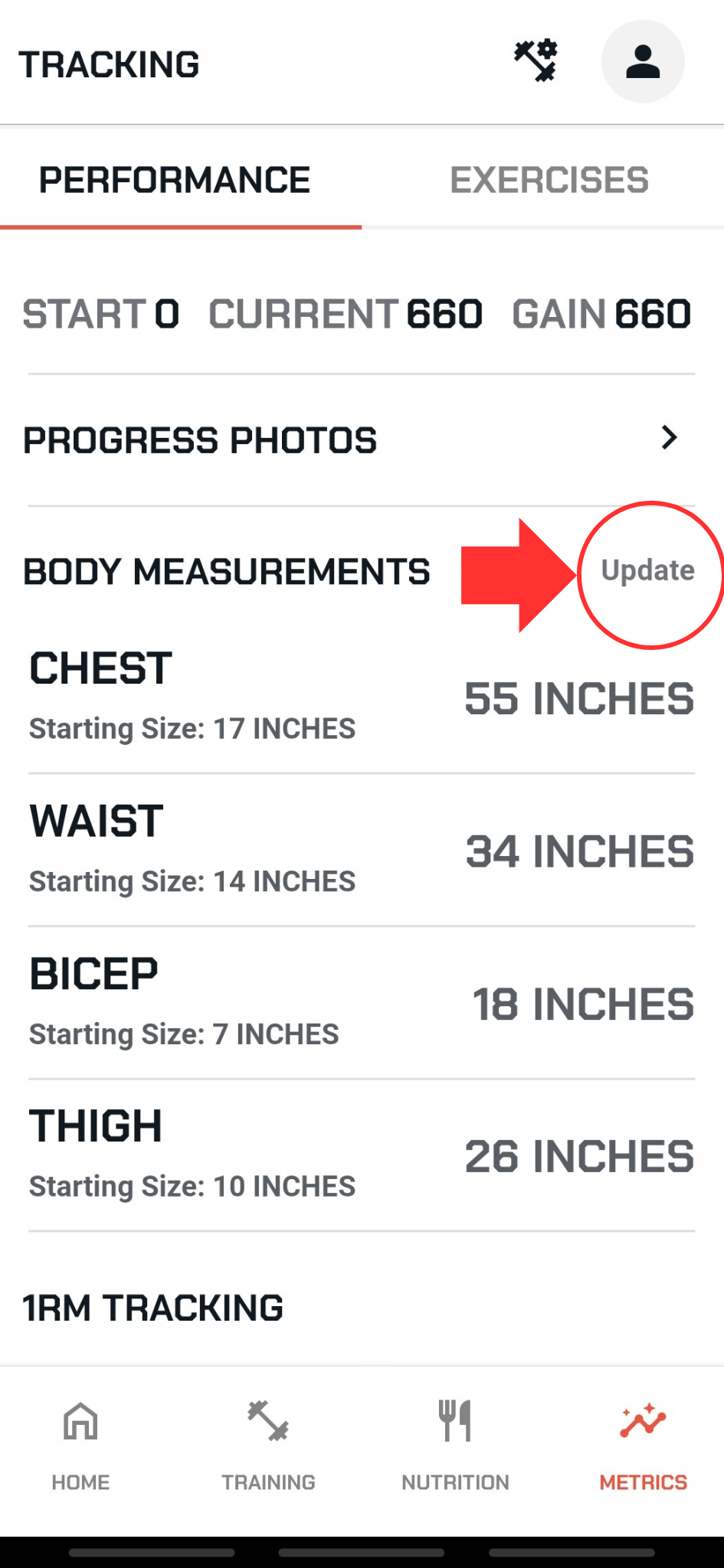
Scroll halfway down the page to see BODY MEASUREMENTS
Select UPDATE next to BODY MEASUREMENTS
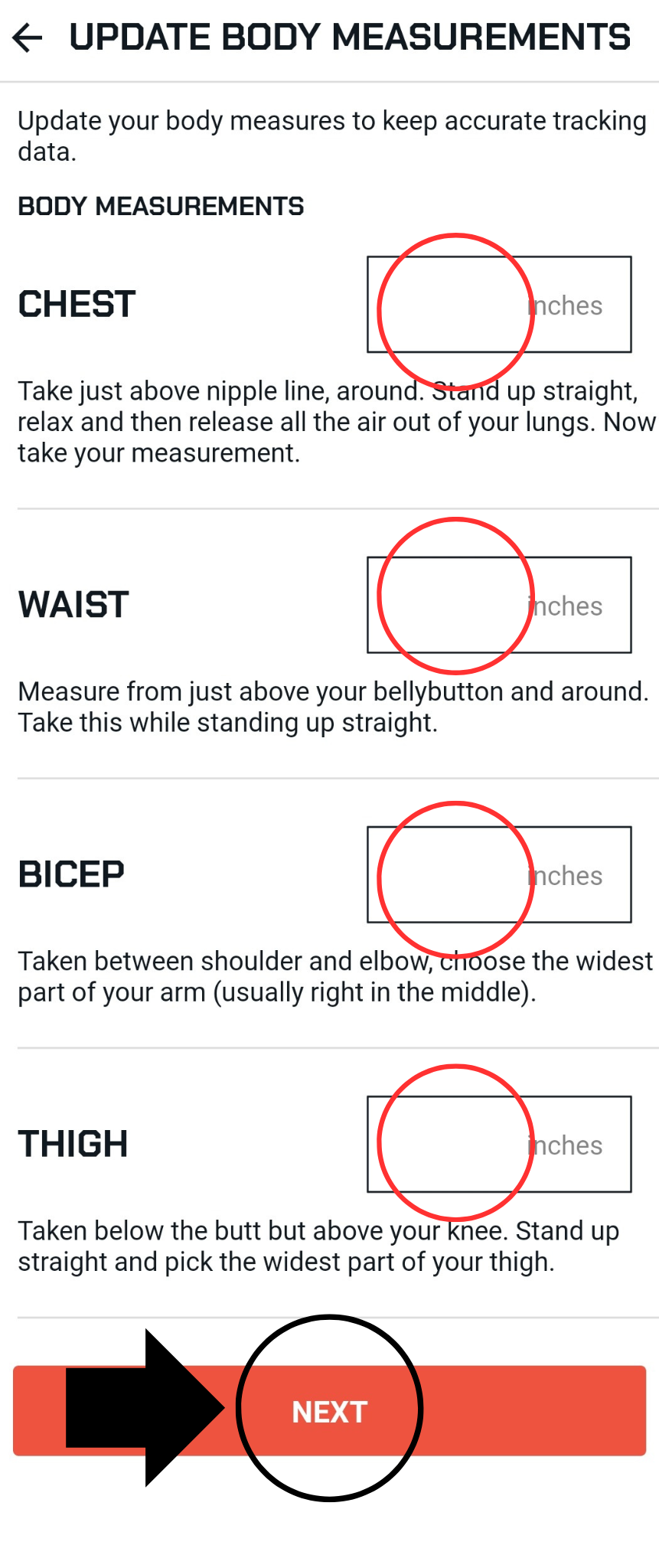
This takes you to the update body measurements page
Input the value that you wish to update
Scroll to the bottom
Select NEXT
Make sure you get a message stating body measurements updated