How to Change to Imperial/Metric MeasurementsUpdated 5 months ago
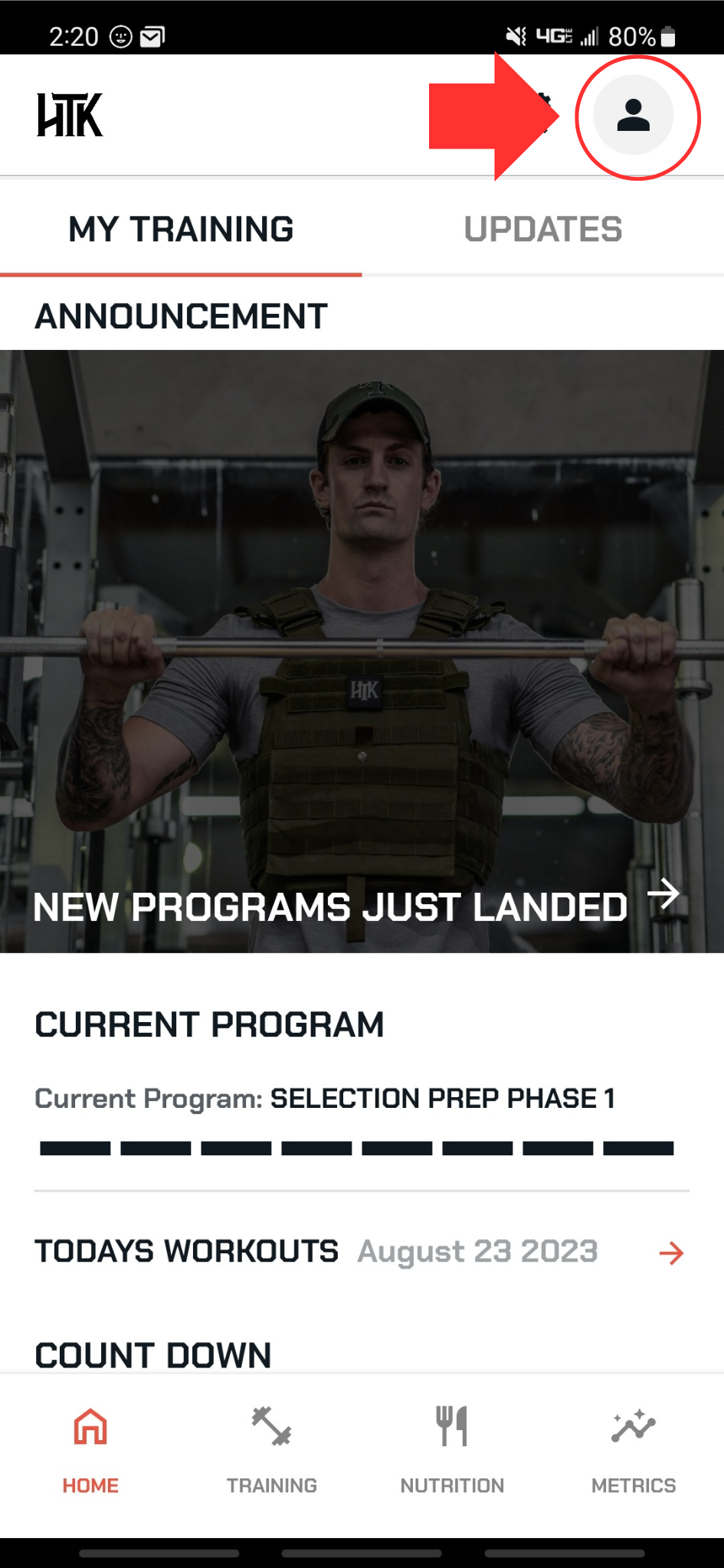
Select account settings in the top right of any page.
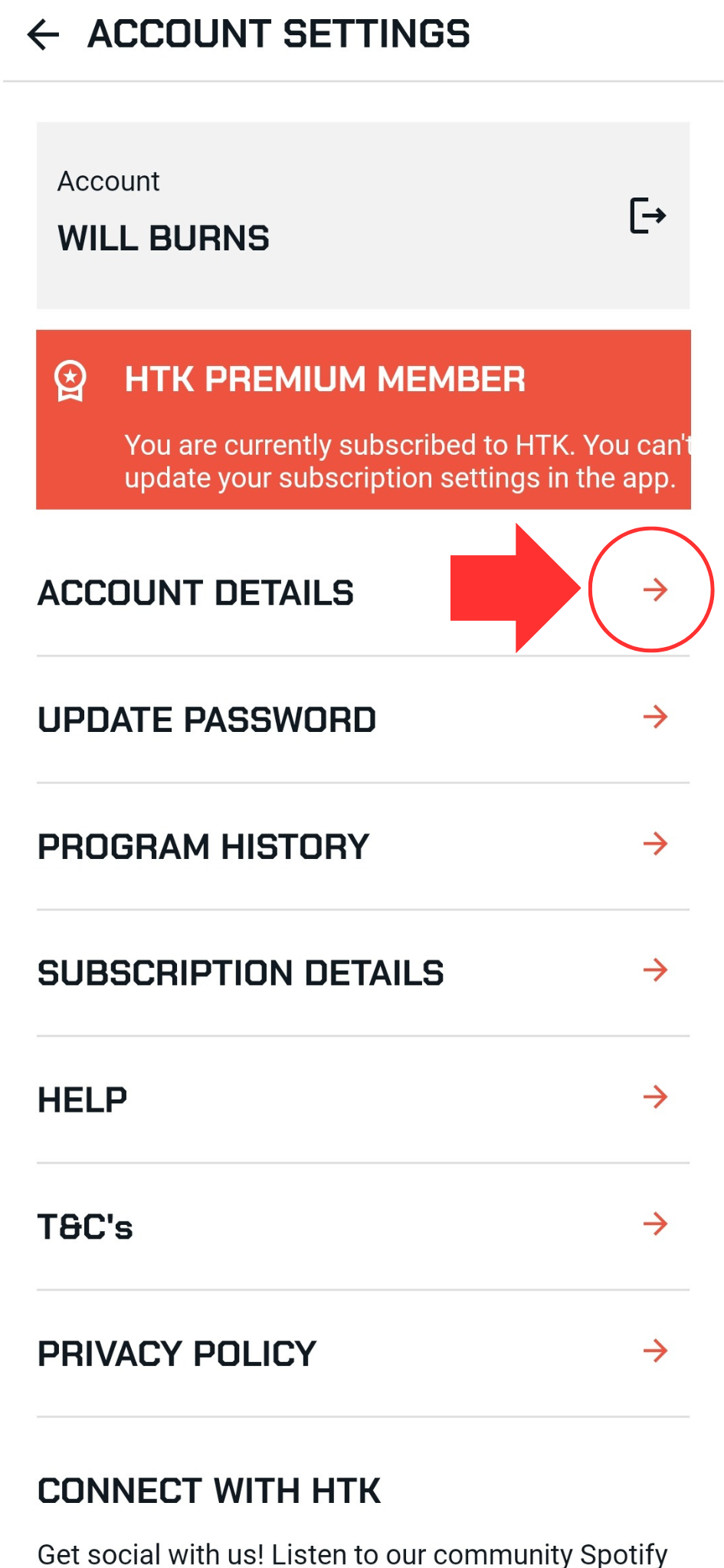
Select Account Details.
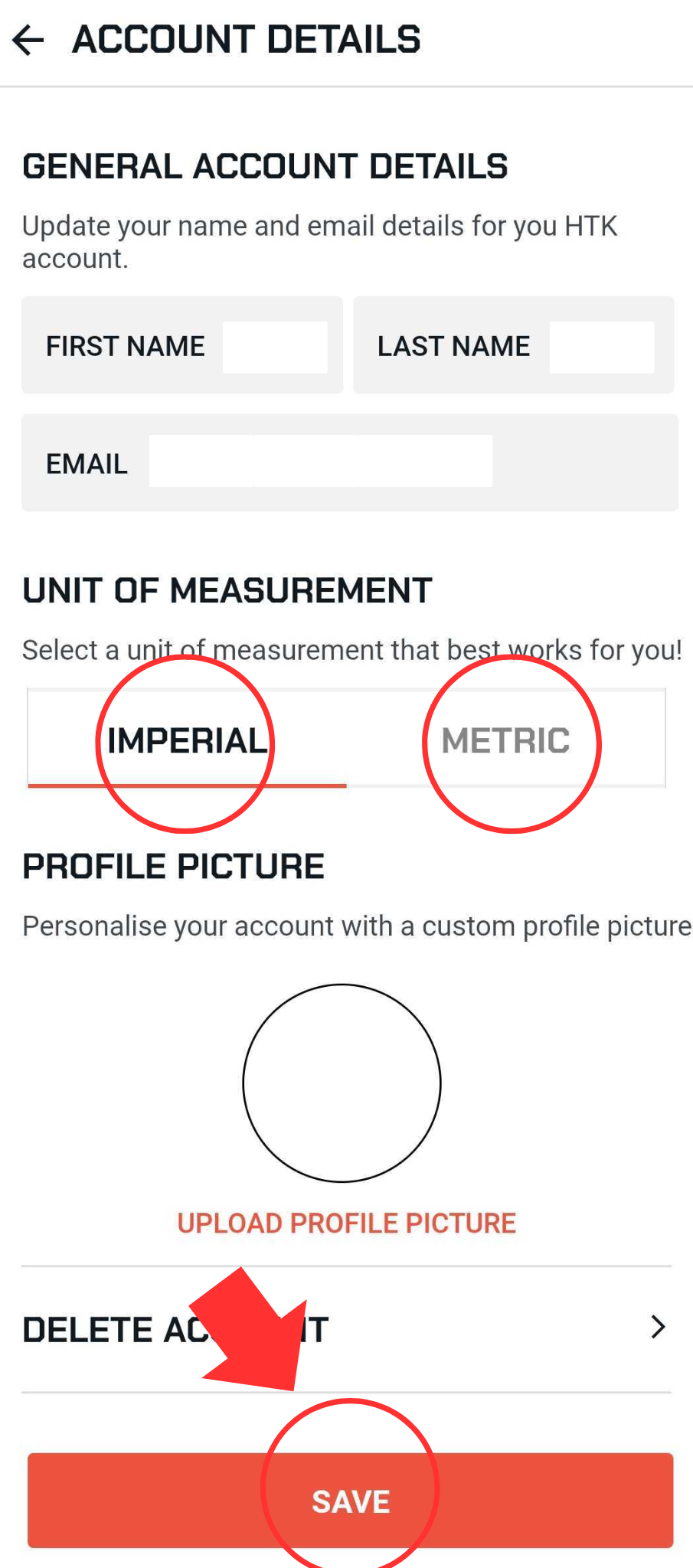
Find unit of measurement
Select imperial or metric
Scroll to the bottom of the page
Select save
Make sure you get the green message saying “details updated”